
Build • Creative Tool

Motion Studio: a local AI studio for motion graphics.
Turn a script or an existing voice-over into a polished animated explainer, product, ad or social video, with Claude Code as the AI operator, ElevenLabs for voice and word timing, and Remotion for composition, preview and rendering. Everything runs on your machine.
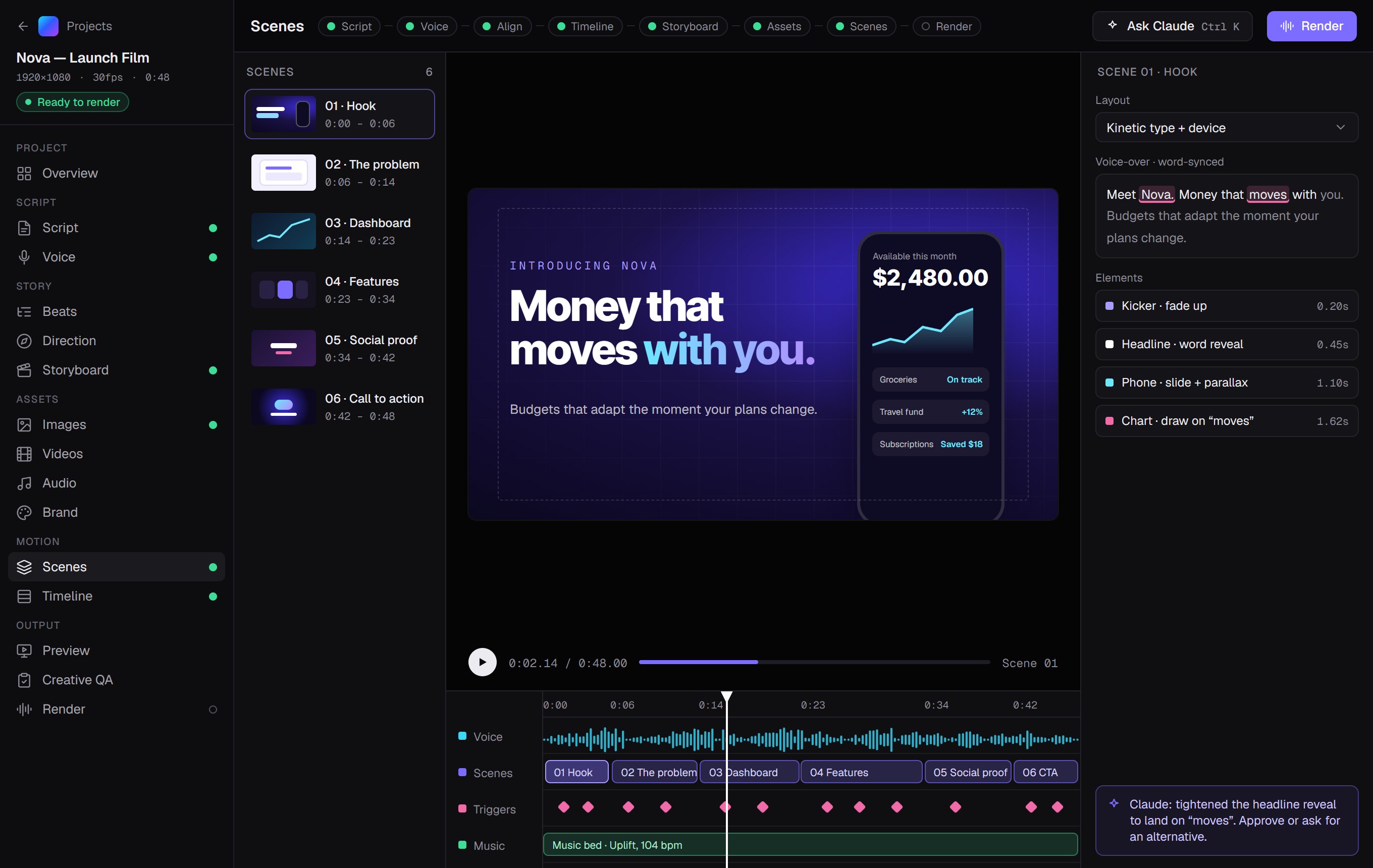
localhost:3210 · Scenes
The Idea
Audio is the source of truth for timing.
Scenes are anchored to the words of the actual voice-over, so visuals land exactly on the narration. Nothing is timed precisely before audio exists. Script analysis only ever shows estimated timing.
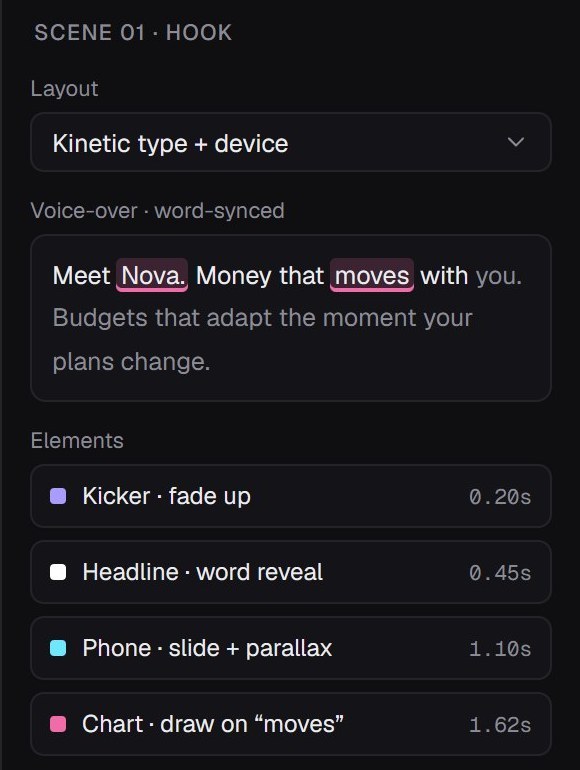

Every move lands on a word.
Start from what you have
A script, a voice-over, a voice-over with a transcript or timestamps (SRT, VTT, JSON), or an existing project package.
Storyboard to Remotion
Each scene carries creative intent (voice text, visual concept, animation notes) and a structured spec rendered by a motion component library.
A real motion library
Kinetic typography, UI mockups, dashboards, charts, diagrams, cursors, images and video, all driven from the scene spec.
Creative direction and QA
A versioned creative plan every scene inherits, plus measured creative metrics and written reviews whose accepted issues become refinement tasks.
Claude Code as the operator
Storyboards, scene edits, alternatives and AI assets happen through explicit, reviewable actions. You approve, lock and version everything.
Local-first
A Next.js app and a worker on your own machine, Postgres in Docker, and project files on disk.
The Workflow
From script to finished render.
01
Create a project
Name, format, frame rate and brand, set up by hand or from a reusable brand kit.
02
Script
Paste, type or import it. Revisions are kept and comparable.
03
Voice
Generate it with ElevenLabs or the system voice, or import your own recording.
04
Alignment
Word timings from the voice, forced alignment, speech-to-text, whisper.cpp or imported captions build the master timeline.
05
Direction & storyboard
Plan the concept, story arc and visual language, then draft, edit, lock and approve scenes.
06
Assets
Upload images, video, music and brand files, or request AI assets and approve the result used.
07
Scenes
Refine each scene’s spec with a live player, a linked timeline and word-synced trigger markers.
08
Preview & Creative QA
Watch the whole video, one scene or any range, with measured creative signals and written reviews.
09
Render
MP4 with presets for YouTube, TikTok and Reels, Instagram feed and square, plus draft, scene and range renders.
Output
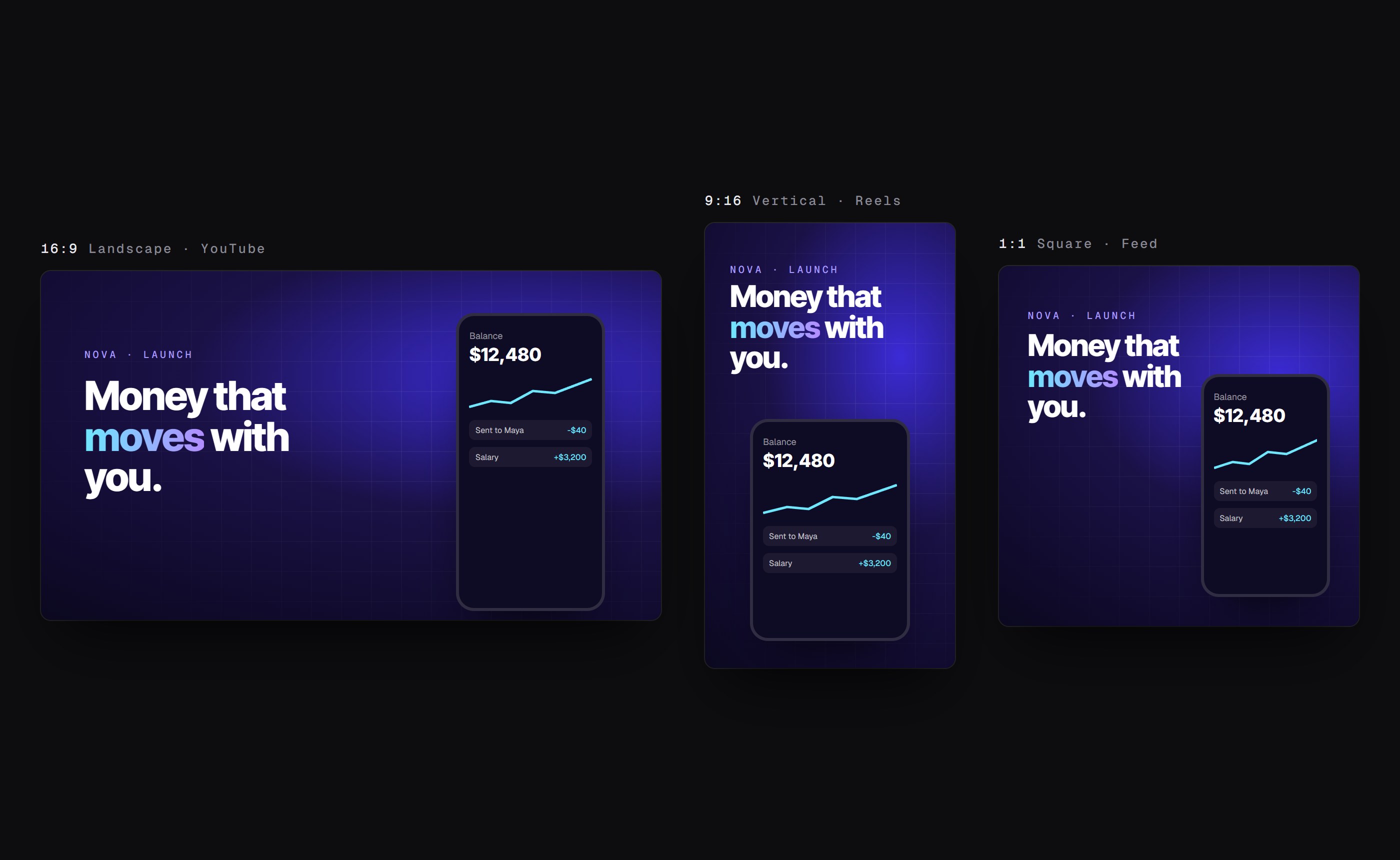
One project, every format it needs.
Projects are set up in the format they’ll ship in, and render to MP4 (H.264 + AAC) with presets for the places they’ll be watched.
Formats
16:9 landscape
9:16 vertical
1:1 square
4:5 portrait
Custom sizes
Render presets
YouTube
TikTok & Reels
Instagram Feed
Square
Under the Hood
Built on tools made for this.
Remotion handles composition, preview and rendering. Claude Code does the creative work through a validated CLI and synchronized project files. ElevenLabs is optional. Without it you can import your own voice-over and transcribe locally with whisper.cpp.
Next.js
Remotion
Claude Code
ElevenLabs
PostgreSQL
Docker
whisper.cpp
Node.js
20.9 or later (22 LTS recommended)
Docker
Docker Desktop, runs Postgres only
Claude Code
For AI tasks: storyboards, scene edits, asset generation
ElevenLabs
Optional: voice generation, forced alignment and speech-to-text
Open Source
Open on GitHub.
Motion Studio is available on GitHub, so you can run it on your own machine, follow how it’s built and adapt it to the way you make videos.
Have an Idea?
Maybe you should build it.
If there’s a problem you’ve been thinking about or a digital product you’ve wanted to create, start with the idea. You don’t need the full specification. You just need to know what you’re trying to solve.