
←
All Articles
Web Design

Struggling With Font Scale? No More With Type Scale Tool
Typography plays a crucial role in design, impacting readability, user experience, and overall aesthetics. But if you’ve ever struggled to create a consistent font scale, you’re not alone. Enter Type Scale – a powerful yet simple tool designed to help designers and developers create harmonious font scales effortlessly.

Clemence Kotoku
3 min read
Overview
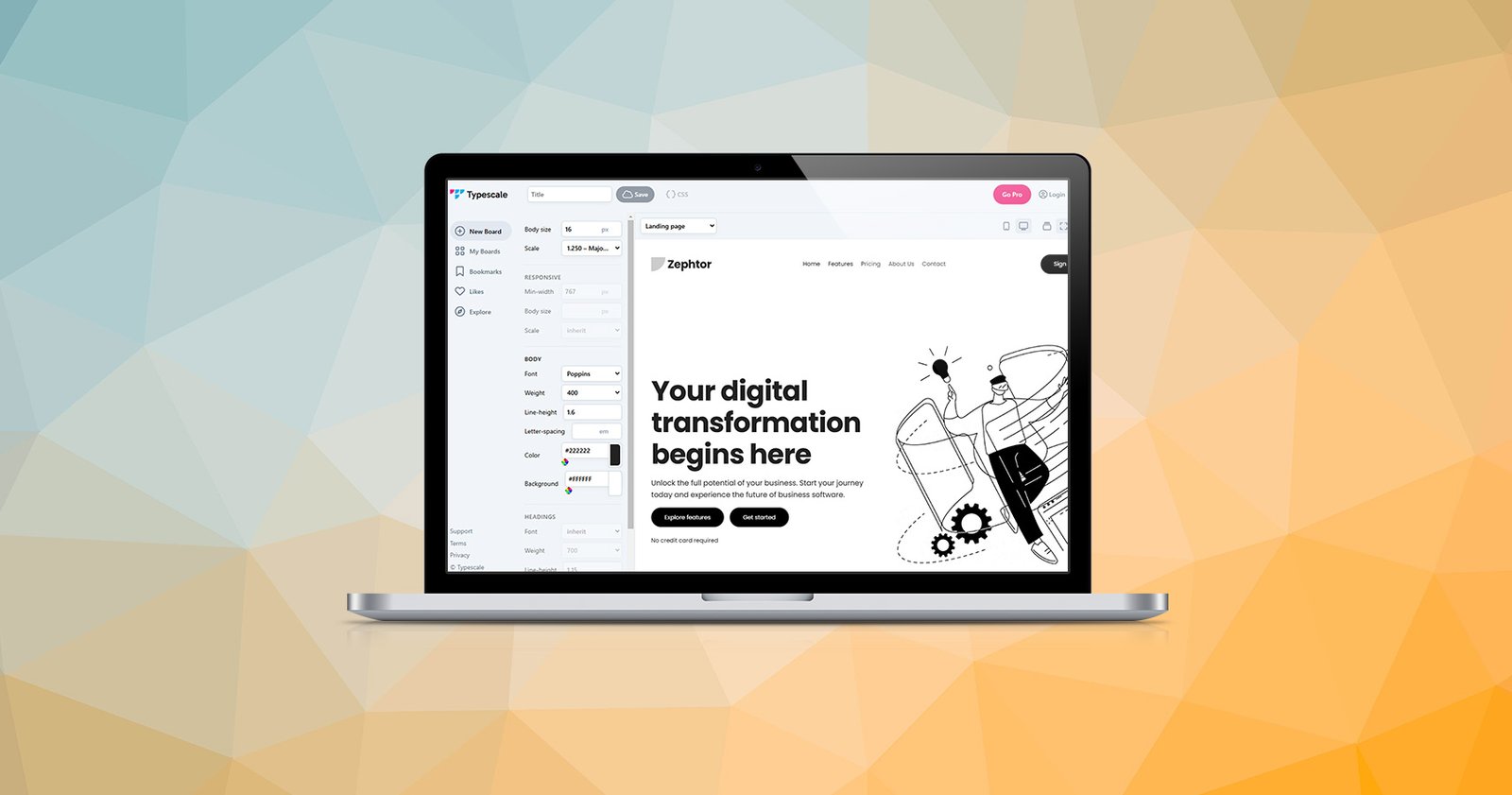
Typography plays a crucial role in design, impacting readability, user experience, and overall aesthetics. But if you’ve ever struggled to create a consistent font scale, you’re not alone. Enter Type Scale – a powerful yet simple tool designed to help designers and developers create harmonious font scales effortlessly.
In this blog post, we’ll dive into what Type Scale is, how it works, and why it’s a game-changer for anyone working with typography.
What is Type Scale?
Type Scale is an online tool that simplifies the process of designing font scales. It allows you to select a base font size, a scale ratio, and instantly preview how your typography will look in different contexts. Whether you’re designing a website, app, or print materials, Type Scale helps you establish a consistent visual hierarchy.
Key Features of Type Scale
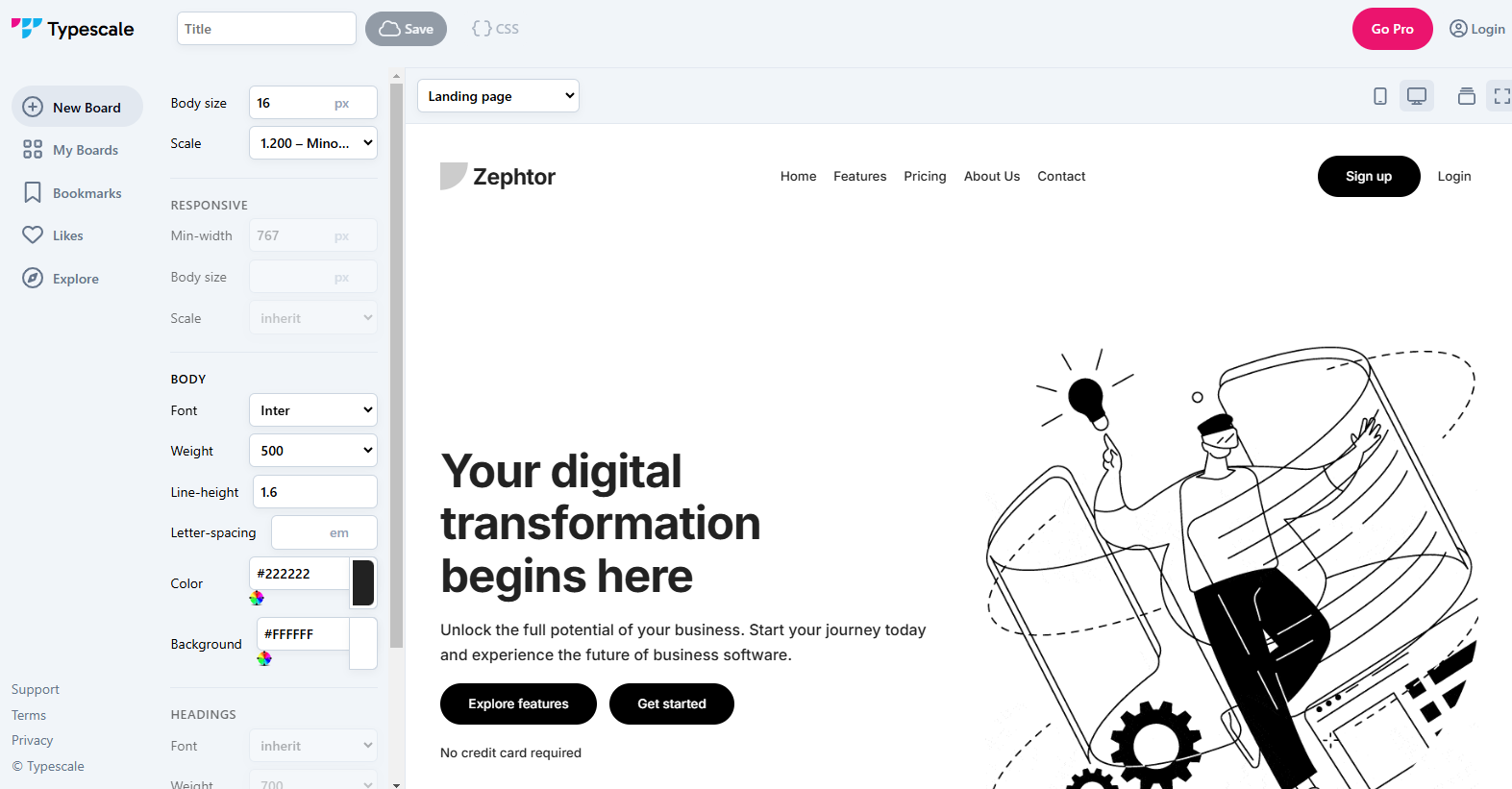
- Base Font Size Selection
Start by choosing a base font size (e.g., 16px, 18px). This is probably the size that you would use for the body text. This size serves as the foundation for your font scale. - Scale Ratios
Type Scale offers various preset ratios like Major Third (1.25), Perfect Fifth (1.5), and Golden Ratio (1.618). These ratios define the mathematical relationship between font sizes, ensuring a balanced and professional look. - Live Previews
You can instantly see how your font sizes will look in headings, paragraphs, and other text styles on both desktop and mobile. This makes it easy to tweak your typography until it feels just right. - Font Family Integration
Type Scale lets you preview typography using Google Fonts, so you can test your chosen font family before implementing it in your project.
Why Use Type Scale?
- Consistency and Balance
Typography is all about creating a seamless reading experience. With Type Scale, you can design a system where each font size complements the others, resulting in better readability and visual harmony. - Save Time
Instead of manually calculating font sizes or experimenting endlessly, Type Scale does the heavy lifting for you. - Improved Design Quality
By using professional scale ratios, your typography will instantly look polished and intentional, elevating your design’s overall quality. - Beginner-Friendly
Even if you’re new to typography, Type Scale is intuitive and easy to use. It’s perfect for both designers and developers.
How to Use Type Scale in Your Projects
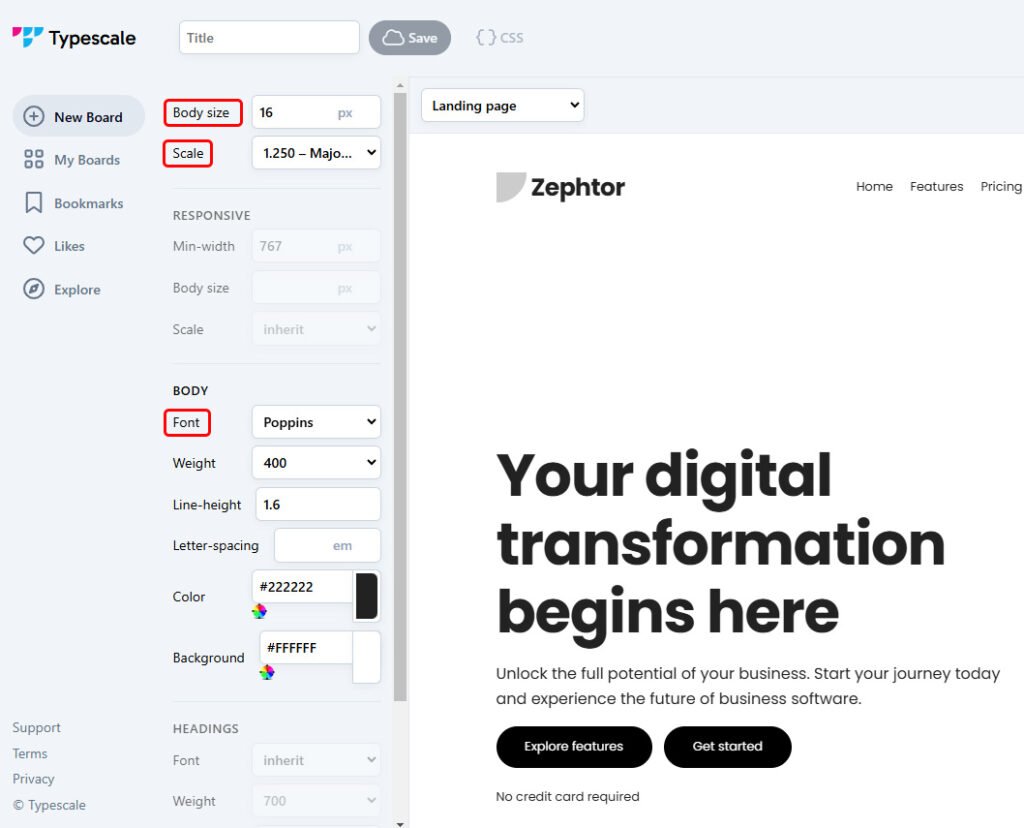
- Visit Type Scale.
- Set your base font size (e.g., 16px).
- Choose a scale ratio that fits your design style. I prefer to use Major Third.
- Select a font family to preview.
- Feel free to experiment with other settings.
- Use the generated font sizes in your CSS to ensure consistency across your design.
Final Thoughts
Typography can make or break your design, but tools like Type Scale make it easier than ever to get it right. Whether you’re building a personal website, crafting a UI for an app, or designing a marketing page, this tool ensures your font sizes are perfectly balanced and visually appealing.
Ready to elevate your typography? Give Type Scale a try and take your designs to the next level!
Do you use tools like Type Scale in your design process? Share your thoughts and favorite typography tools in the comments below! 🚀
Written by
Clemence Kotoku
Web designer, developer and digital marketer. I build websites, digital products and systems that help businesses grow, and I write about what I learn along the way.
Working on something?
Let’s make your website do more.
Tell me what you’re building or improving, and I’ll come back with the right way forward.
Share this article
Keep Reading
More from my desk.

Websites • Marketing
Your website is useless. Let me explain why.
A website doesn’t make sales simply because it exists. Here’s what actually needs to happen before your website can contribute to growth.
Web Design • Conversion
What makes a high-converting website?
Good design isn’t just about making a website look impressive. It’s about helping the right person understand what you offer and what they should do next.

AI • Productivity
5 AI tools I’m actually using in my workflow
There are thousands of AI tools available. These are some of the ones that have actually found a place in my day-to-day workflow.
Let’s Connect
Have something you’re trying to build?
Whether it’s a website, a campaign or a product idea, I’d love to hear about it. Start with the problem. We’ll figure out the rest together.